
There’s no single price, but there are good ways to tell whether the one you’ve been quoted makes sense.
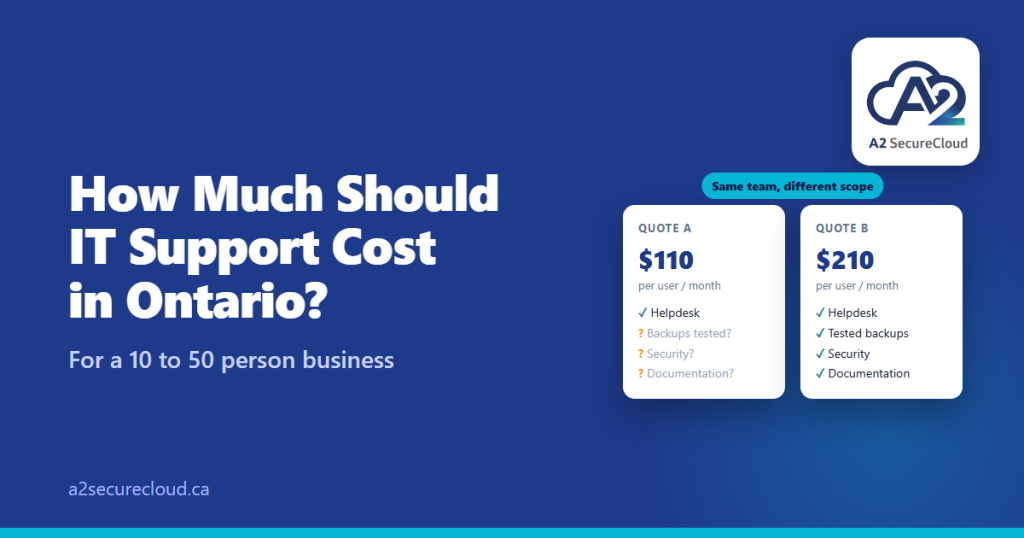
Picture an owner with a 25-person team who has asked two IT providers for a quote. One comes back at nearly double the other. Both say “managed IT.” Both look professional. Neither explains why they’re different.
That’s the usual experience, and it’s why “am I paying too much?” is so hard to answer. The honest answer is that the price matters less than what it covers. Two quotes for the same number of people can describe completely different services.
This guide explains IT support cost in Ontario: how it’s priced, what published ranges look like, what should be included, what often costs extra, and how to compare quotes fairly.
The four common ways IT support is priced
1. Per user, per month
The most common model for small and mid-sized businesses. You pay a set amount for each person, and the price covers a defined list of services. It scales predictably as you hire.
2. Per device, per month
You pay for each computer or server. This can work for offices with many shared machines, but it can climb quickly if people have more than one device.
3. Tiered packages
Bronze, Silver, and Gold style bundles, with more included at each level. Useful for comparing, as long as you check what’s actually in each tier.
4. Break-fix (hourly)
You call when something breaks and pay for the time. It has no monthly fee, but nobody is watching your systems in between, and the provider earns more when things go wrong. It’s a different service from managed IT, not a cheaper version of it.
Published ranges for IT support cost in Ontario
There’s no independent survey of IT support cost in Ontario that we could find. What exists is managed IT pricing guidance published by IT providers themselves, which is marketing content and should be treated as a rough sanity check, not a benchmark.
With that caveat, several Canadian and North American providers publish ranges around $100 to $300 per user per month. One provider reports $125 to $225 per user for small and mid-sized Canadian businesses, and some describe security-heavy, full-service packages as costing more.
Simple arithmetic shows why a single number isn’t helpful. At those published per-user ranges:
- 10 people: roughly $1,000 to $3,000 a month
- 25 people: roughly $2,500 to $7,500 a month
- 50 people: roughly $5,000 to $15,000 a month
That’s a wide span, which is the point. Where your IT support cost in Ontario falls depends on scope.
What moves IT support cost in Ontario up or down
- Security depth. Endpoint protection, email security, MFA, and monitoring cost money to provide. This is the biggest driver.
- Microsoft 365 management. Administering users, licences, and security settings takes real time.
- Response times. Faster response, after-hours coverage, and on-site presence cost more than business-hours remote support.
- Documentation and reporting. Regular reviews and written records take effort.
- Your environment. Number of locations, devices, servers, and line-of-business systems.
- Regulated work. Law firms, healthcare practices, and accountants often need more careful controls and record-keeping.
A low price isn’t automatically a bargain, and a high one isn’t automatically padded. The question is what’s behind it.
What should be included
For a managed IT agreement, a reasonable core looks like:
- Helpdesk support for everyday issues, with response times in writing
- Monitoring of devices and key systems, with something you can see
- Patching and updates for operating systems and applications
- Microsoft 365 administration such as accounts, licences, and security settings
- Endpoint protection on every device
- MFA and access management, including who has admin rights
- Backups with tested restores, including a clear answer on Microsoft 365 data
- Documentation of your environment, which belongs to you
- Regular review of risks and a short roadmap
A useful yardstick is the Canadian Centre for Cyber Security’s baseline controls for small and medium organizations, which is a lower-cost set of 13 areas. They include incident response planning, automatic patching, security software, strong user authentication, employee awareness training, backup and encryption, and access control. If a quote doesn’t cover most of those areas, ask where they’re handled.
What often costs extra
Ask about each of these, because they’re commonly priced separately:
- Projects: migrations, new office setups, major upgrades
- On-site visits beyond a monthly allowance, and after-hours work
- Hardware, including computers, firewalls, and network gear
- Software licences, such as Microsoft 365, which are usually billed separately from the support fee. Ask whether they’re marked up.
- Advanced security add-ons and additional monitoring
- Extra backup testing beyond what’s included
- Security awareness training
- Compliance work such as policies and documentation
- Onboarding or setup fees at the start
- Taxes. Ask whether quoted prices include HST.
None of these are wrong to charge for. The problem is finding out about them later.
Am I paying too much? Four checks
- Divide it out. Take the monthly total on your IT support quote, add the licences if they’re separate, and divide by the number of people. Compare like with like.
- Compare scope, not totals. Put the two quotes side by side against the “what should be included” list above.
- Ask for an itemized quote. If a provider can’t show what you’re paying for, that tells you something.
- Look at what you’ve actually received. Do you get reports? Are response times met? Has anything been tested?
Red flags
- A price far below published ranges that promises “unlimited everything”
- No written response times
- No itemization, or “it depends” with no follow-up
- A long lock-in with no clear exit or handover
- Admin access and documentation held only by the provider
- Security described as an optional extra
Questions worth asking before you sign
Ask what’s monitored and how you see it, how fast issues are handled, when a restore was last tested, how security gaps are reported, and who owns the documentation and admin access. We cover those in detail in our guide, 5 Questions to Ask Your Managed IT Provider in Ontario Before You Renew.
How A2 SecureCloud helps
IT support cost in Ontario is easier to judge when you know what you actually have. Our free IT assessment takes about three minutes and gives you a readiness score across security, backup, and operations. If you’ve been given a quote and want a second opinion on whether it covers what it should, we’re happy to talk it through.
Talk to a Durham Region IT partner
A2 SecureCloud is based in Ajax and supports businesses across Durham Region and Ontario. Our managed IT services include remote help desk support with no per-ticket charges, 24/7 monitoring, device management, endpoint protection, and tested cloud backups for a flat monthly fee per user — with no long lock-in contracts. Contact us to book a free consultation.
Want a second opinion on your IT quote?
Book a short call with our team and we will walk through your setup and current quote with you.
A2 SecureCloud is a Canadian-owned managed IT and cybersecurity company serving small businesses across Canada, with on-site support in Durham Region, Ontario.
Sources: Always Beyond and F12 (published Canadian managed IT pricing guides). Canadian Centre for Cyber Security: Baseline cyber security controls for small and medium organizations.