
Many disaster recovery plans start with the wrong question.
They start with “How do we restore the server?” The better question is “How do we get payroll running?”
That difference sounds small, and it isn’t. A plan built around infrastructure (servers, networks, backups) can look complete on paper and still miss what the owner actually cares about: when something goes wrong, what can we restore, in what order, and how long will it take?
That’s the problem business continuity and disaster recovery (BCDR) exists to solve. Here’s what it looks like in practice for a growing business, including an Ontario business with no internal IT team.
What business continuity and disaster recovery really means
These two terms get used interchangeably. They describe different things.
Business continuity is about keeping critical operations running during a disruption, even if that means temporary workarounds.
Disaster recovery is about restoring your systems and data to full operation after a failure.
You need both. A business that restores its data but has no plan for the outage period loses revenue while it waits. A business that gets through the outage but can’t restore its data loses ground afterward.
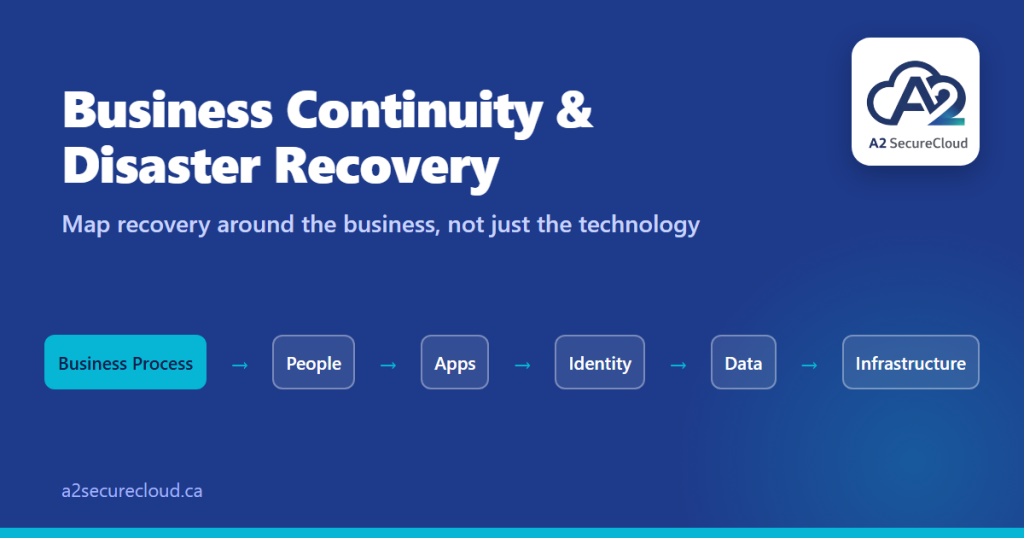
The right approach starts with your business processes, not your technology.
Why many recovery plans fall short
Having a backup and having a tested recovery plan are two different things. An untested plan usually looks like this:
- Backups exist, but nobody knows whether they can actually be restored
- Critical systems are listed, but their dependencies aren’t
- There’s no defined Recovery Time Objective
- Nobody is named as responsible during an outage
- The plan has never been run from start to finish
None of these are dramatic failures. They’re gaps, and together they produce the answer nobody wants to give during an incident: “We’re not sure.”
The dependency chain most businesses miss
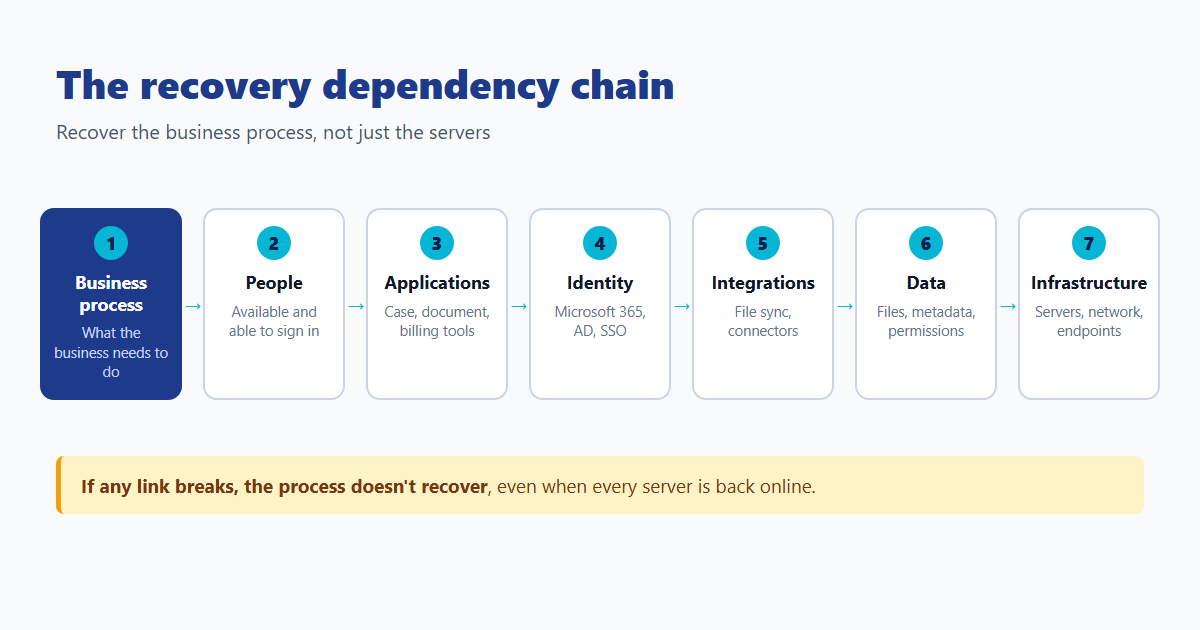
Ask “what does the business need to function?” and the answer is rarely a single system. It’s a chain:
Take a hypothetical law firm and its “client file access” process. To restore it, you need:
- The process defined. What does “client file access” mean, exactly?
- The right people available, and able to sign in
- The applications running, such as case management and document management
- The identity service online, whether that’s Microsoft 365, Active Directory, or single sign-on
- The integrations working, like file sync and connectors
- The data intact, including client files, metadata, and permissions
- The infrastructure underneath: servers, network, and endpoints
If any link in that chain is broken, the process doesn’t recover, even when the servers are technically back online. You can restore every server and still have a firm that can’t open client files. That’s why recovery planning fails when it starts with infrastructure.
Law firms can use the Canadian Bar Association’s business continuity and disaster recovery planning guide as a starting point.
Five things a practical business recovery plan should contain
You don’t need an enterprise framework. You need these five things, in plain language.
1. Critical business processes
Which functions does the business need in order to run? Payroll, client intake, case files, billing. These come first, before any discussion of servers.
2. Systems and dependencies
For each critical process, which systems does it rely on, and what does each of those depend on?
3. RTO and RPO
Your Recovery Time Objective (RTO) is the longest the business can tolerate a process being down. Your Recovery Point Objective (RPO) is how much recent data it can afford to lose. Define both per process, not per server.
4. Named responsibilities
Who calls the plan into action? Who contacts clients? Who handles the technical recovery? Use names, not just roles.
5. Testing and improvement
The Canadian Centre for Cyber Security advises organizations to have continuity and communications plans ready and to be prepared to use them. Our addition: a plan only counts once it’s been tested.
Why testing changes everything
An untested plan can be worse than no plan, because the business behaves as if it’s protected and makes decisions based on that false sense of readiness.
When you test a plan, you tend to find things like:
- A dependency that wasn’t documented
- A recovery step that assumes someone is available who isn’t
- A backup that restores the data but not the permissions
- An authentication system that doesn’t come back online
None of these show up on paper. They only show up when you run the exercise.
After a real test, you have a documented recovery time, evidence of what worked, a list of what didn’t, named owners for each fix, and a plan that’s actually been validated.
How A2 SecureCloud approaches BCDR for small business
We treat recovery as a capability you build and maintain, not a one-time product. For Ontario businesses, that means a tested disaster recovery plan tied to how the business actually runs, in four stages.
Stage 1: Understand
We identify your critical business processes, the applications and data they depend on, the users involved, the vendors connected to them, and the infrastructure underneath.
Stage 2: Define
We set your RTO and RPO per process, assign named responsibilities, and define how you’ll communicate during an outage.
Stage 3: Build
We put the recovery foundations in place: backup, Microsoft 365 protection, endpoint protection, access controls, monitoring, and documentation. What we build depends on what your business actually needs.
Stage 4: Test
We run recovery exercises under realistic conditions. After each one, we document what worked, what didn’t, actual recovery times, missing dependencies, and who owns each improvement. Each engagement includes one validation exercise. Additional tests are quoted separately.
This is an ongoing capability, not a one-time project.
Where AI fits, and where it doesn’t
We’re building AI-assisted tooling to make this work more efficient for our clients. We don’t sell “AI-powered recovery,” because that sets expectations nobody can meet. If you want the broader picture, read our piece on AI automation for small businesses.
Here’s what we’re developing:
- Recovery plan drafting. After your assessment, AI-assisted tooling will draft a starting recovery worksheet from your answers. We review and validate it. The draft saves hours, and the human review is what makes it trustworthy.
- Dependency mapping. AI helps structure your answers to “what does the business need to function?” into a visual map instead of a spreadsheet.
- Recovery exercise reporting. After each test, AI organizes the results into a structured report: expected versus actual recovery time, failed steps, corrective actions, and owners.
- Recurring resilience reviews. Each month we pull backup status, patch status, security alerts, Microsoft 365 changes, and failed jobs. AI summarizes them, and we review and deliver the client report.
The rule is simple: AI drafts, A2 validates. We never let automation declare a client’s environment secure or compliant.
What good looks like
By the end of a well-designed BCDR engagement, you should have:
- A documented list of critical business processes
- A dependency map for each one
- Defined RTO and RPO per process
- Named recovery responsibilities
- A tested recovery plan, with evidence
- A regular review cadence
If any of these are missing, you have a hope, not a plan.
Where to start
If you’re not sure whether your current recovery approach would hold up, start with our free IT assessment. It takes about three minutes and gives you a clear picture of where your gaps are, with no sales pitch attached.
Or reach out directly:
Email: info@a2securecloud.ca
Phone: +1 (647) 895-7042
A2 SecureCloud is a Canadian-owned managed IT and cybersecurity company serving small businesses across Canada, with on-site support in Durham Region, Ontario.
Pingback: 3 Cyber Threat Trends for 2026 | A2 SecureCloud